
TOPDUKA POINT OF SALE
Ready for your
next customer.
A dedicated desktop app for the counter. Bring your products, payments and daily sales together in one familiar workspace.
Get started01 / Checkout
From the first scan to the final receipt.
Search your catalogue or scan a barcode. Adjust quantities, hold a basket when a customer needs more time, and take cash or payment through your connected M-Pesa and Paystack providers.
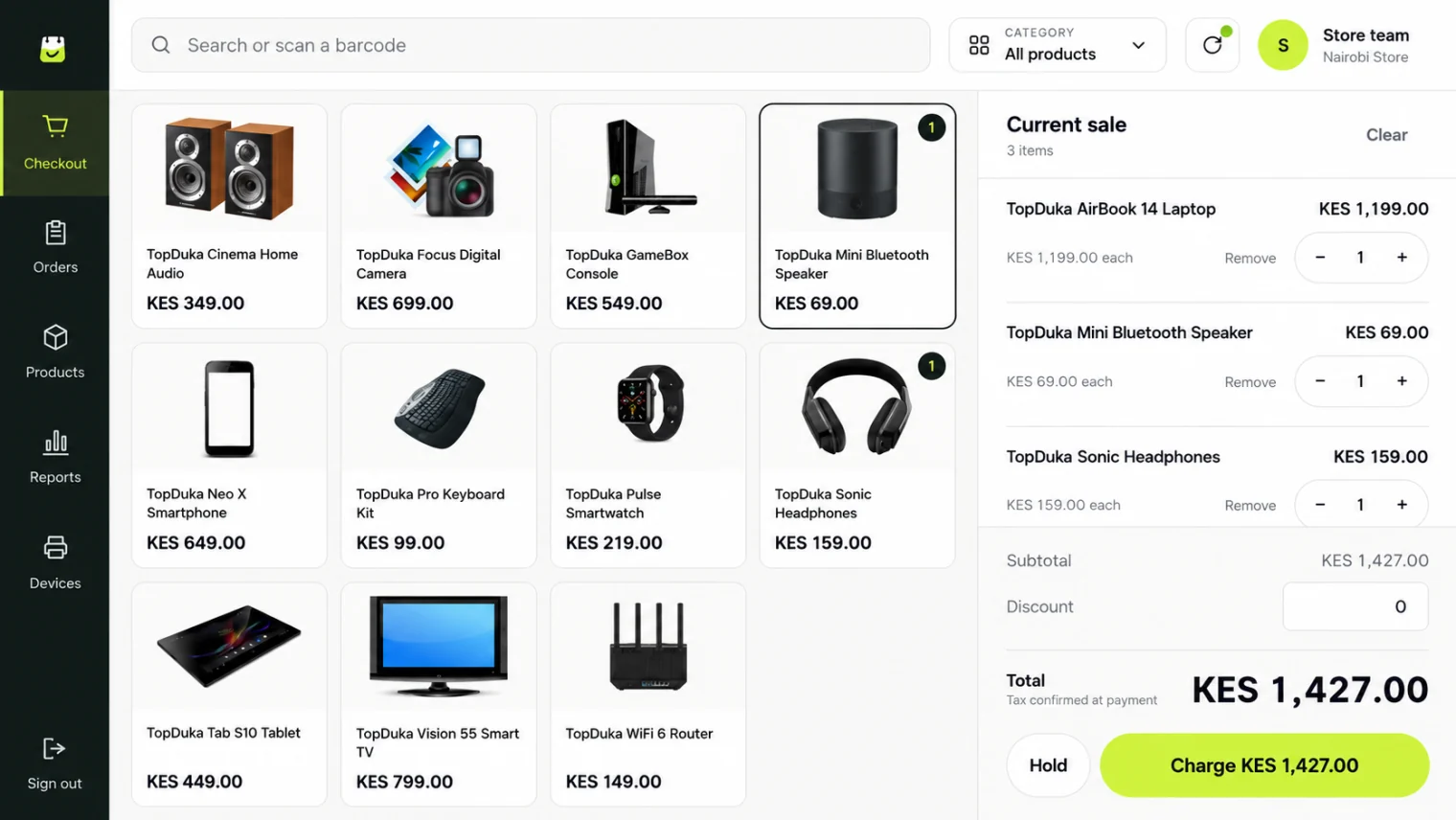
- Product search & barcode scanning
- Hold & resume baskets
- Receipt printer connections
02 / Orders
Every sale, easy to find again.
Look up a past sale, filter by date, payment method or status, and open the order for its details. Keep the history of your counter sales close at hand.
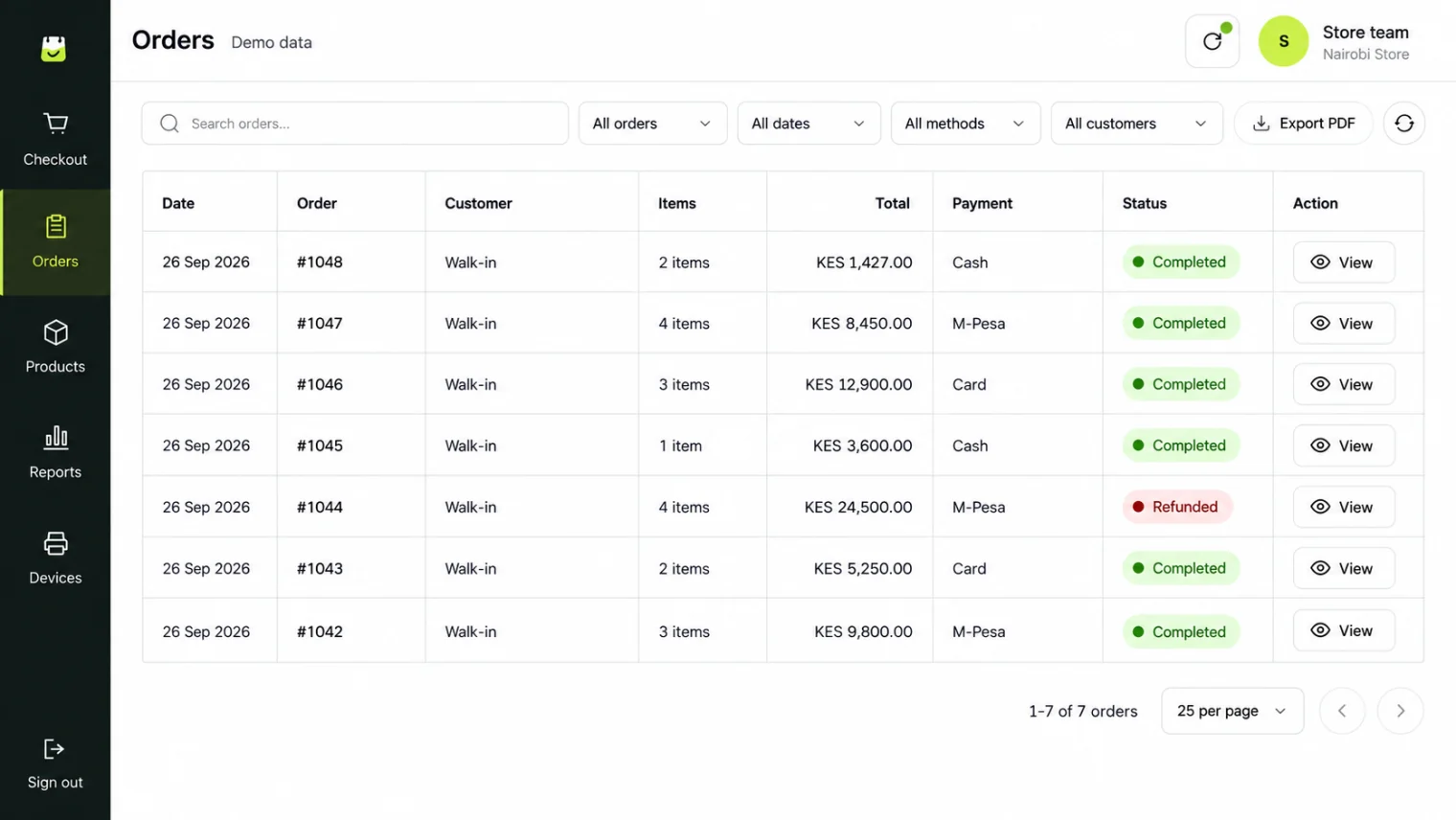
- Search & filter orders
- Review order details
- Export a PDF
03 / Reports
Know how the day is adding up.
See sales, orders, average order value and items sold for today, the current shift or a selected date range. Follow your best-selling products and review the sales breakdown.
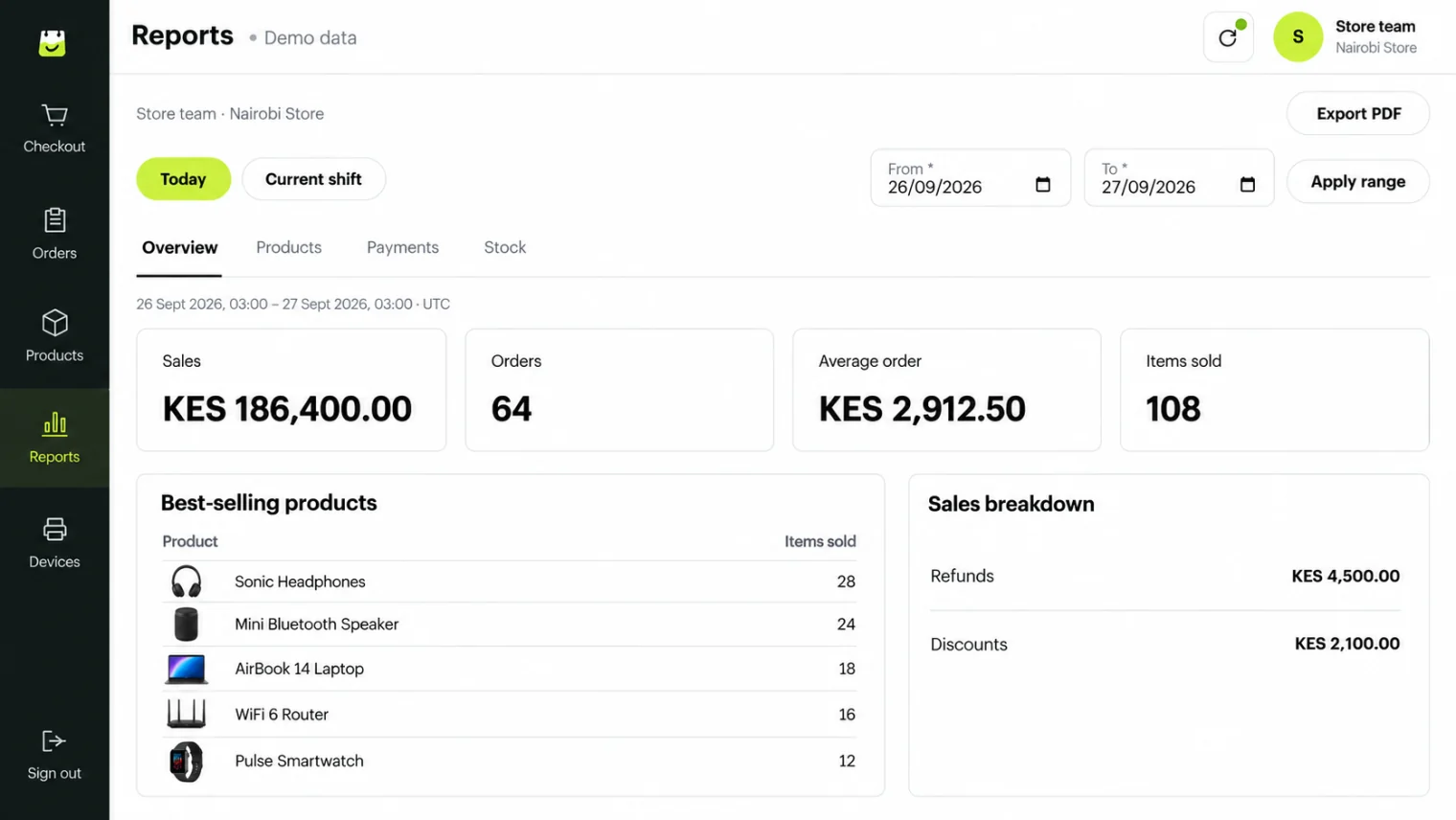
- Daily & shift summaries
- Best-selling products
- Payments & stock views
A few things to know.
Still stuck? Talk to our team — we answer in plain language, usually the same day.
Is this the desktop Point of Sale?
Which payments can I take?
Can I connect a receipt printer?
Are these real merchant sales?
See it at your counter.
Try the desktop app with your own products. Your first month on Starter is KES 500.
Get started